Free
$0
Record, transcribe, and organize meetings locally with no subscription.
- Unlimited on-device recording and transcription
- Search, export, and delete local meetings
- AI workflows pause when your trial ends
- No card required
Kairo Notes is a native macOS meeting copilot that captures and transcribes on your Mac, then uses the AI provider you choose. It coaches you mid-conversation, and the moment you hang up your follow-up email is already written. Your audio never leaves your machine.
Optional macOS Calendar access is read-only. Kairo uses calendars already connected to your Mac to let you select an upcoming meeting and prefill its title, time, and attendees. Kairo cannot create, edit, or delete calendar events.
v0.4.2 beta · macOS 14.4+ · Apple Silicon · Notarized by Apple
Kairo v0.4 includes a 14-day or 3-meeting trial. No payment method is required to start.
*AI copilot and Live Chat features transmit feature-specific text to the AI destination you select. Pro uses your supported API account or local model. Cloud routes text through Kairo's gateway to an upstream provider within your included allowance. Audio stays local. Learn more
Take notes manually and lose focus, or record everything and drown in transcripts after the fact. Cloud transcription tools raise privacy concerns, and none give you intelligence during the meeting.
Stay fully present while AI works alongside you. Live cards surface the right questions and fact-checks grounded in your own notes — and the moment you hang up, a debrief with action items and a ready-to-send recap email is already waiting. All without your audio leaving the machine.
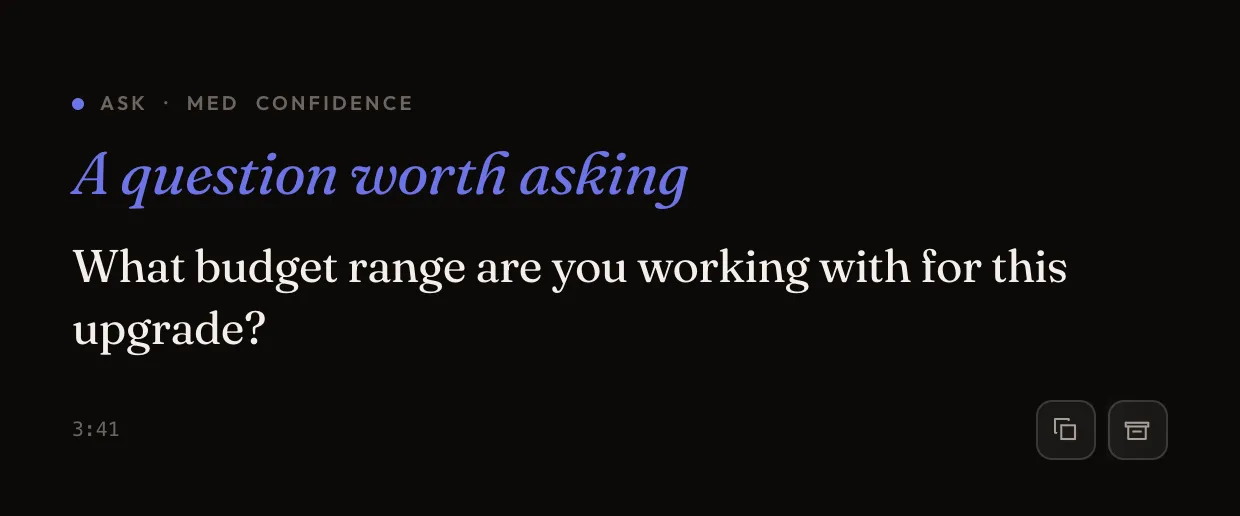
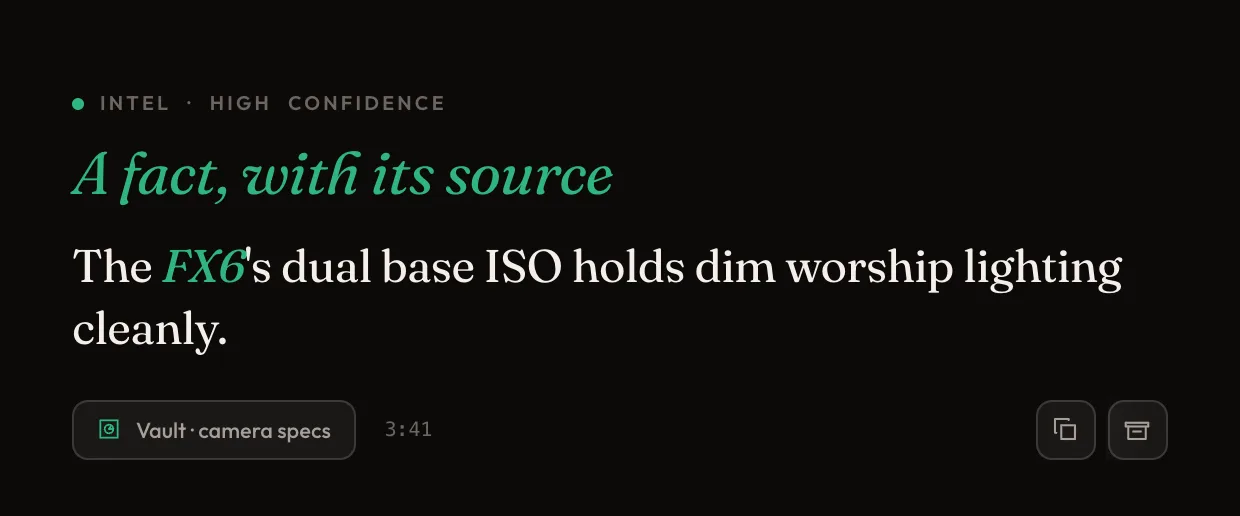
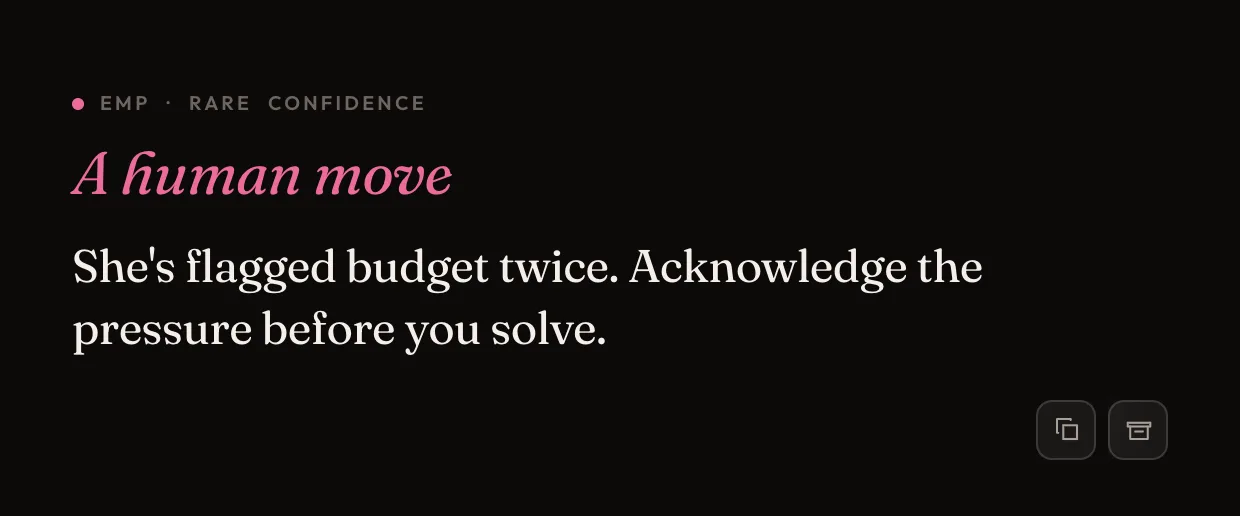
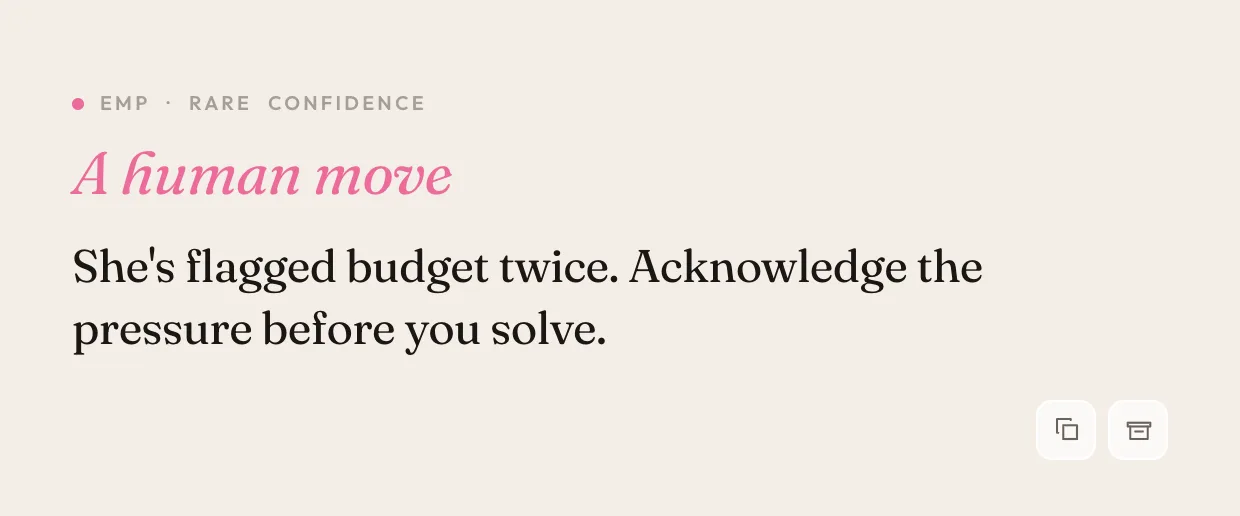
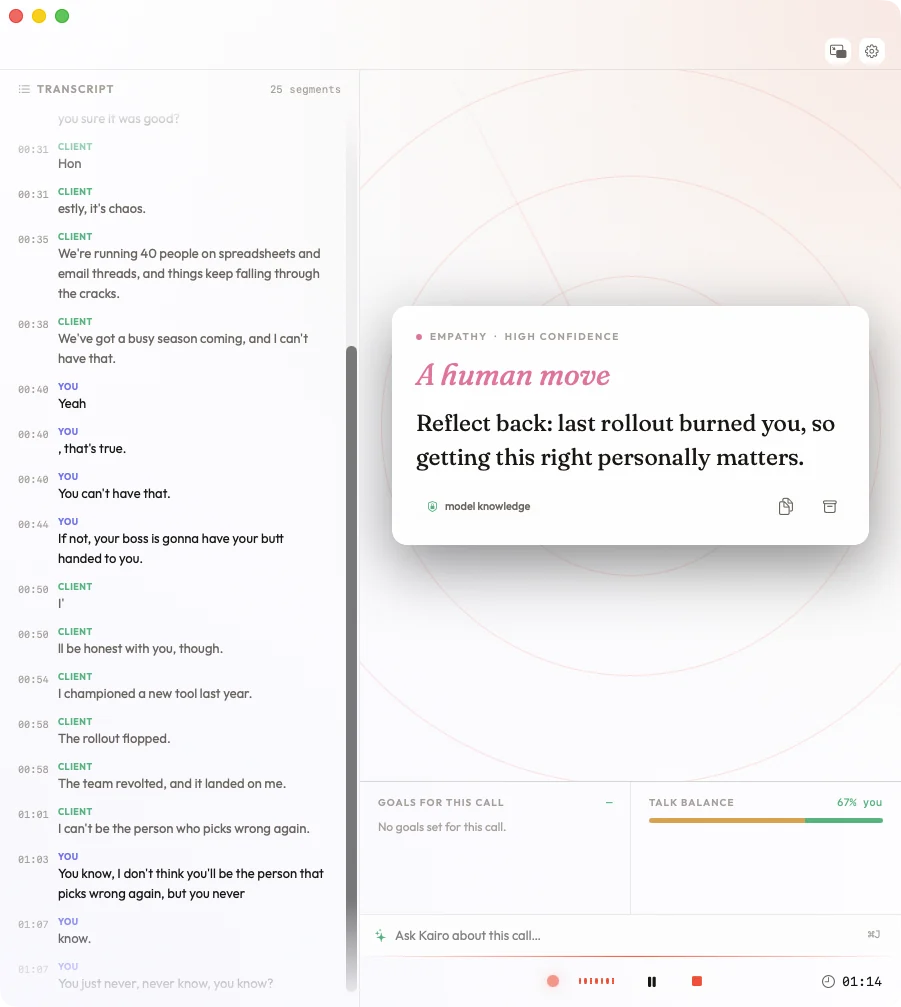
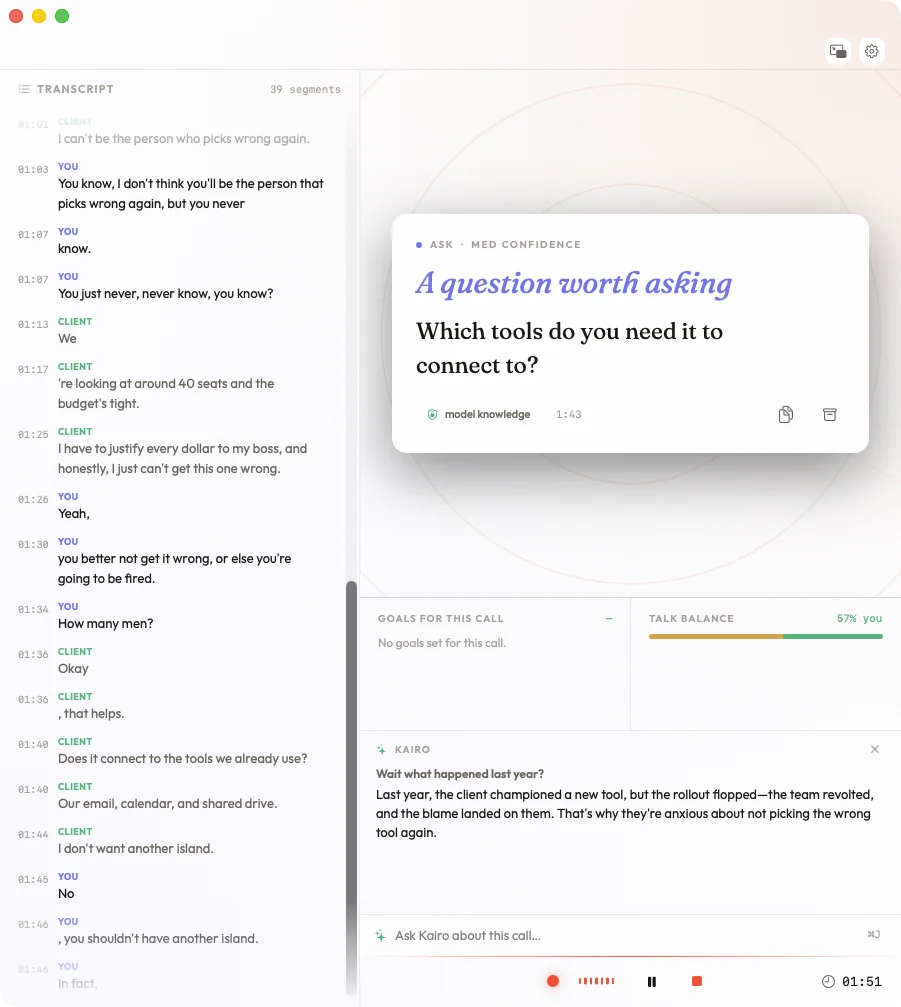
While you're focused on the conversation, Kairo Notes works alongside you — at most one card at a time, only when the moment calls for it. Three kinds: Ask, Intel, and Empathy.
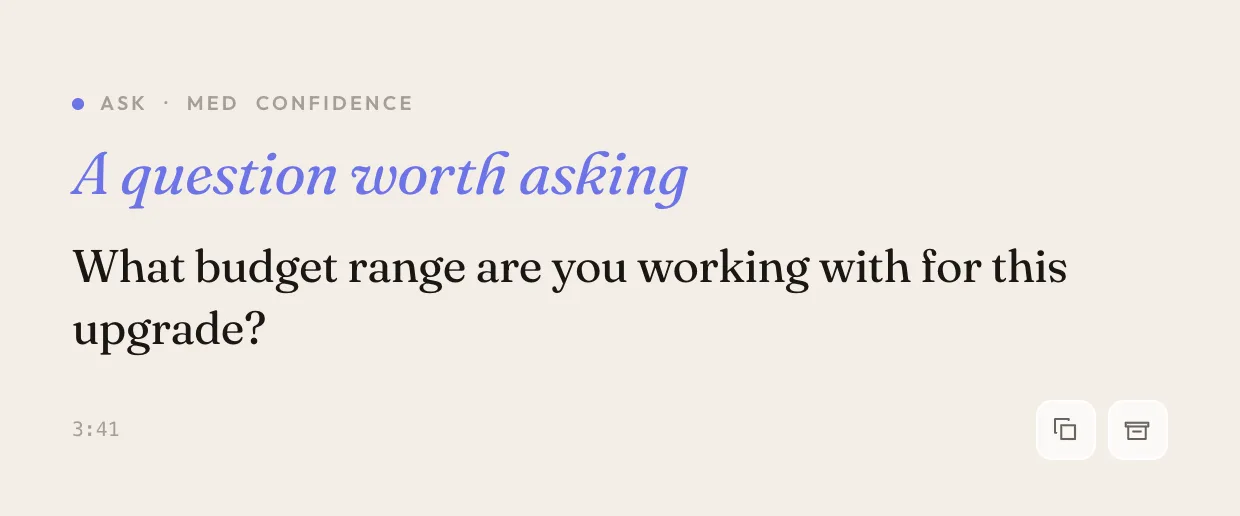
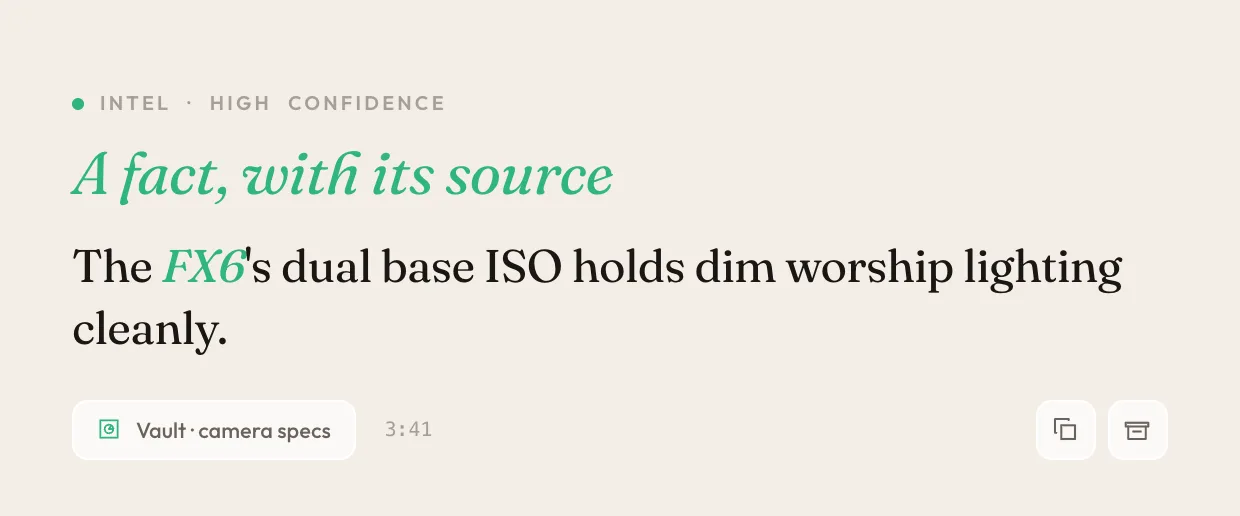
A true macOS citizen — not a web wrapper. Kairo Notes lives in your menu bar, respects your system theme, and stays out of the way until you need it.
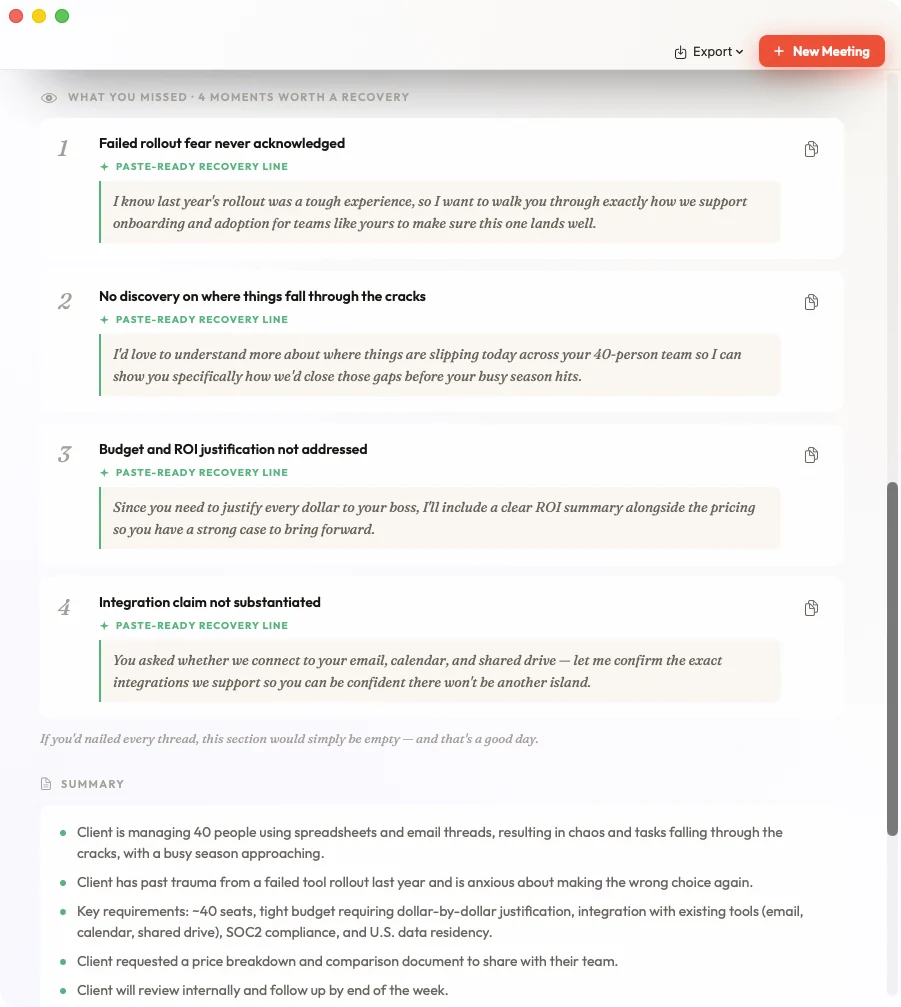
Screens show a scripted sample meeting — names, figures, and details are illustrative.
The moment you stop recording, Kairo Notes re-reads the entire call and does the follow-up work you'd normally put off.
A complete follow-up email — subject line, recap, next steps — drafted from what was actually said. Copy it or open it straight in Mail.
The AI re-reads the transcript and flags genuinely missed opportunities — the unasked question, the concern you talked past.
Questions you couldn't answer live get resolved afterward — grounded in your vault first, each answer shown with its source.
Every "I'll get back to you" and "let me check" is silently logged with its timestamp during the call — no interruption, nothing forgotten.
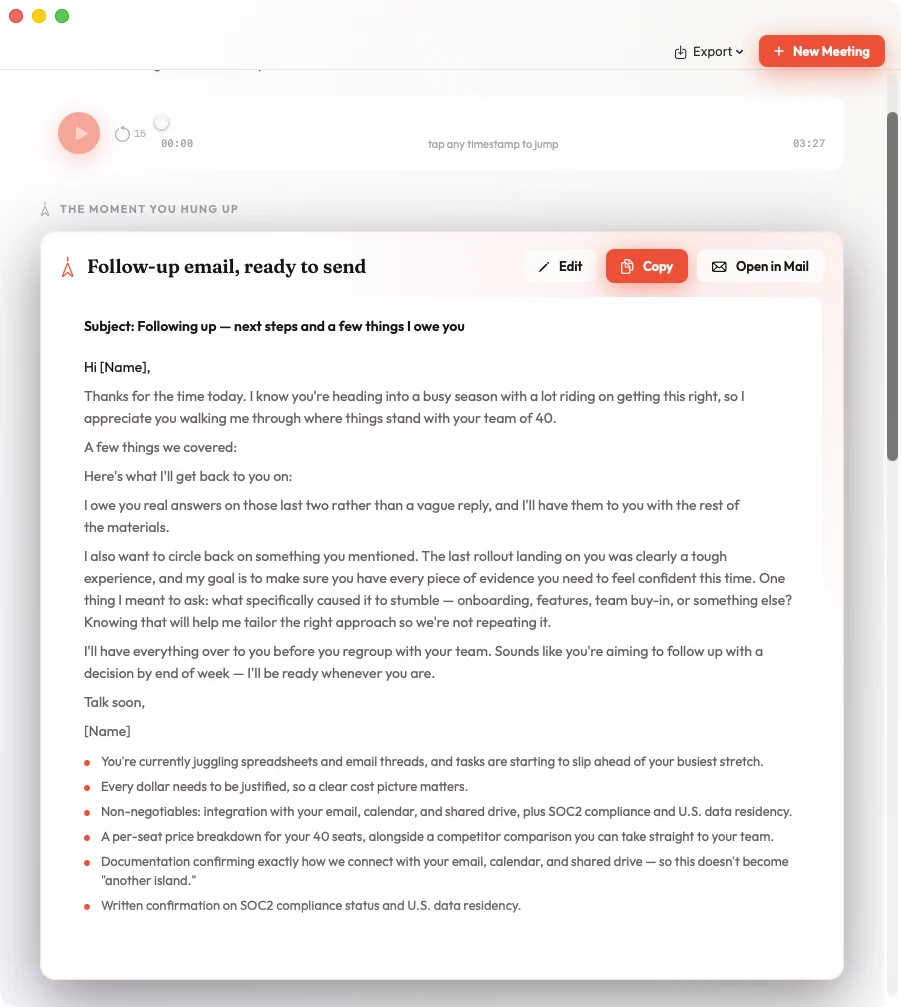
Screens show a scripted sample meeting — names, figures, and details are illustrative.
A two-minute guided setup, once. After that: pick your meeting, hit record, stay present.
Select a template — General, 1:1, Standup, Brainstorm, Interview, or Training — and pick your capture mode.
Press the button or use your global hotkey. Kairo Notes starts transcribing on-device and surfaces AI suggestions in real time.
Summary, action items, tracked commitments — and a recap email, already drafted. Copy it, open it in Mail, or push everything to Notion, Linear, or Markdown.
Choose your capture mode based on where the meeting is happening.
Captures system audio from Zoom, Teams, Google Meet, or any app — no virtual audio devices, no bot in your meeting.
Uses your Mac's microphone to capture what's said in the room. Works like a voice recorder with real-time AI intelligence.
Already have a recording? Drop a .wav, .m4a, .mp3, or .caf file onto Kairo Notes and get the full transcript, summary, and review screen.
Transcription runs entirely on your Mac — your audio never leaves the machine. For AI suggestions and summaries, pick any of six providers, switch anytime, or go fully offline with local models.
Apple's Speech framework runs entirely locally. No audio is sent to any server for transcription.
Provider credentials are stored in macOS Keychain and are available only while your Mac is unlocked.
Signed and notarized by Apple. The current beta sends no product telemetry or crash reports to Kairo.
Your meeting history lives in a folder you choose. Kairo does not add hidden sync, but your chosen folder provider may sync it.
Choose based on preference, cost, or privacy requirements. Switch anytime. Ollama stays local when its Base URL points to this Mac.
Claude models
GPT models
Gemini models
Grok models
Supported models
Local model option
On Pro, hosted providers require your own supported API account and Ollama is local when its Base URL points to this Mac. Exact model availability depends on verified provider compatibility; Kairo Cloud lists a model only after its acceptance checks pass. ChatGPT and Claude consumer subscription sign-in are not part of the public v0.4 promise.
Not after the meeting. Not in a separate app. Right there, while you're still talking.
Not a noisy feed on a timer. Kairo Notes listens for the moments that matter and surfaces at most one glanceable card — a question to ask, an empathy move, or a fact-check grounded in your notes. Silence is the default.
Ask questions about the meeting while it's happening — "what did she say her budget was?" — answered from the live transcript. Opt-in, retained locally in the meeting session, and included in exports you choose.
A compact, pin-on-top window: timer, waveform, the current card, your call goals as check-off chips, and a talk-balance gauge that nudges you if you're monologuing.
Optionally use accounts already available in macOS Calendar, including Google calendars connected to your Mac. Kairo reads your calendar list and upcoming events only to let you select a meeting and prefill its title, time, and attendees. It cannot create, edit, or delete events.
A watchdog restarts transcription if macOS's speech service dies mid-call, crash recovery restores interrupted sessions, and a silence warning offers one-click audio reconnect.
Push notes to Notion, create Linear issues from action items, or export as Markdown, plain text, or styled PDF — chat log and suggestions included.
Start and stop recording from any app with a global hotkey. Search transcripts, navigate suggestions, and export — all from the keyboard.
Global hotkey is fully customizable in settings.
Try Kairo Pro for 14 days or 3 completed meetings, whichever comes first. Your trial starts with your first meeting. A Pro invite adds a separate 30-day grant with no card required. Pro invite codes do not include Cloud early access.
Record, transcribe, and organize meetings locally with no subscription.
Unlock every Kairo AI workflow with a supported API key or Ollama. Save with $99 per year.
Everything in Pro, with hosted AI from Kairo. No provider API key to set up.
Free keeps recording, transcription, and your meeting library local. Pro adds every AI workflow using your supported provider API key or Ollama. Cloud includes hosted AI usage and is invite-only during early access. Audio never leaves your Mac, and transcription always runs there.
Other tools record the meeting and hand you a transcript later. Kairo Notes works the meeting with you — privately, natively, on the AI provider you choose.
| Feature | Kairo Notes | Otter.ai | Fireflies | Granola |
|---|---|---|---|---|
| Real-time AI suggestions | Yes | No | No | No |
| On-device transcription | Yes | No | No | No |
| Audio stays on-device | Yes | No | No | Partial |
| Multiple AI providers | 6 | 1 | 1 | 1 |
| Native macOS app | Yes | Web/Electron | Web | Yes |
| Fully offline option | Yes | No | No | No |
| Vault context (prior meetings) | Yes | Limited | Limited | Partial |
| Choose your AI billing | Your account or Cloud | Included | Included | Included |
Based on each product's publicly documented features, June 2026. Plans and features change.
Audio never leaves your Mac for AI processing. Hosted providers can receive transcript text plus feature-specific context such as your question, persona, goals, prior suggestions, and relevant excerpts from your selected vault. Pro sends that text directly to the provider you configure. Cloud sends it through Kairo's gateway to the selected upstream provider without retaining the prompt or response after the request completes.
Yes. Call Mode captures system audio, so it works with any app that plays audio through your Mac — Zoom, Teams, Google Meet, Slack Huddles, Discord, and more. No bot joins your call.
Kairo Pro is $12 per month or $99 per year, plus any usage your chosen API provider bills you directly. Kairo never marks up that provider bill, and you can avoid provider charges by running Ollama locally. Kairo Cloud is $19 per month and includes $5 of hosted AI usage, based on Kairo's provider cost. Cloud is currently invite-only. Local transcription does not use AI allowance.
Transcription continues because it runs on-device. Hosted AI features pause until connectivity returns. The active session is periodically saved to a local recovery snapshot; audio exists only when audio recording is enabled.
You can keep using Free without a subscription for local recording, on-device transcription, and your meeting library. Pro is $12 per month or $99 per year and unlocks every AI workflow using your API key or Ollama. Cloud is $19 per month with AI included and is currently invite-only. AI workflows pause on Free after the trial.
Nothing changes — every meeting is a plain Markdown file in a folder you chose. Open them in Obsidian, any text editor, or Finder. There's no proprietary database and no lock-in.
After you confirm deletion, Kairo immediately cancels every Stripe subscription and future renewal and ends hosted and paid access. Deletion does not automatically provide a prorated refund for unused paid time except where law requires one. Your meeting files, recordings, and exports remain on your Mac. If you only want to stop renewal while keeping your account through the paid period, use the billing portal instead.
Yes. In Call Mode, labels are exact by construction — your microphone is you, the call audio is them. In Memo Mode, a confidence-scored engine separates speakers from pauses and energy shifts and corrects recent mislabels retroactively. Rename or reassign any line, during or after the meeting.
Your trial begins when you start your first meeting and ends after 14 calendar days or 3 completed meetings, whichever comes first. A completed meeting runs for at least two minutes and reaches its post-call result. An invite code unlocks 30 days of Pro with no payment method. Cloud capacity is separate and remains invite-only during early access.
Kairo Cloud stops new hosted AI requests before they can create an overage. Local transcription continues, your existing meetings remain accessible, and you can switch to a provider you fund directly. There are no surprise usage charges.
Yes. Every meeting is saved as a plain Markdown file with YAML frontmatter into a folder you choose — point it at your Obsidian vault and meetings appear as notes, instantly linkable. The AI also reads your existing vault notes to ground its suggestions.
Yes. Drop a .wav, .m4a, .mp3, or .caf file onto the start screen and Kairo Notes transcribes it on-device, then generates the same summary, action items, and review screen as a live meeting.
An Apple Silicon Mac (M1 or newer) running macOS 14.4 (Sonoma) or later. 8 GB of RAM is plenty. Transcription runs entirely on-device, so it works offline, while the AI copilot and summaries use your chosen provider’s API (or run fully local with Ollama, where we’d suggest 16 GB or more of RAM). Kairo Notes is built with Swift 6 and SwiftUI on Apple’s modern on-device speech and system-audio frameworks.
Download Kairo v0.4 and try every feature for 14 days or 3 completed meetings, then stay on Free or choose Pro. Kairo Cloud is currently invite-only.
The v0.4 download includes the trial. Paid plans begin only when you choose and complete checkout.